


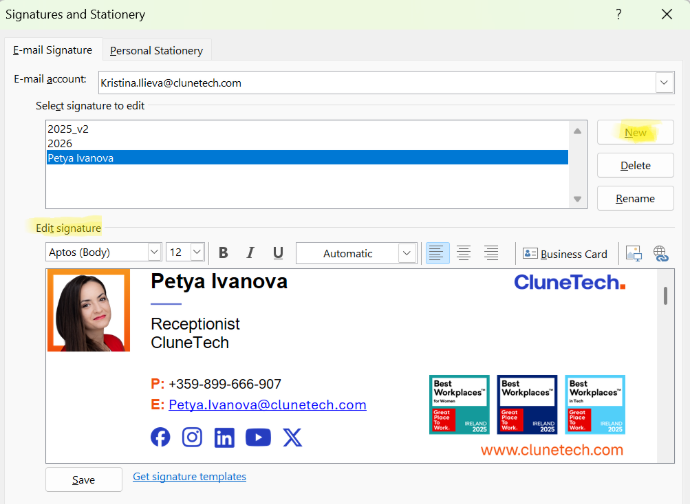
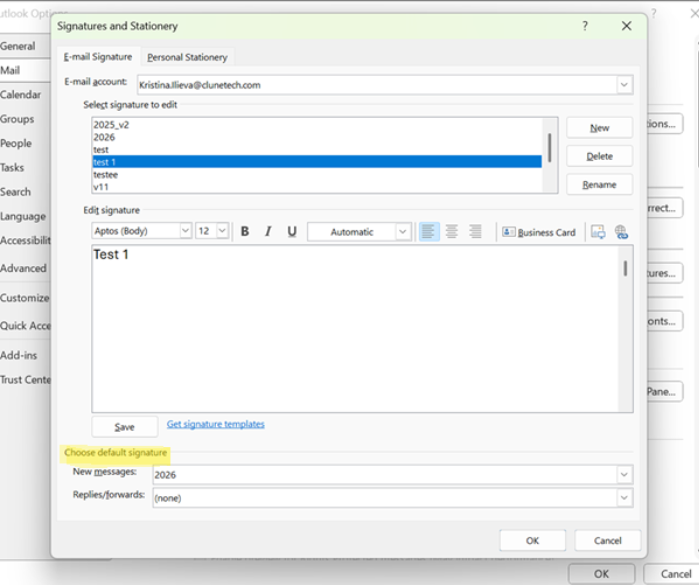
To ensure your signature appears properly in the new version of Outlook, you need to create it in the Classic Outlook first (follow the steps in the left column).
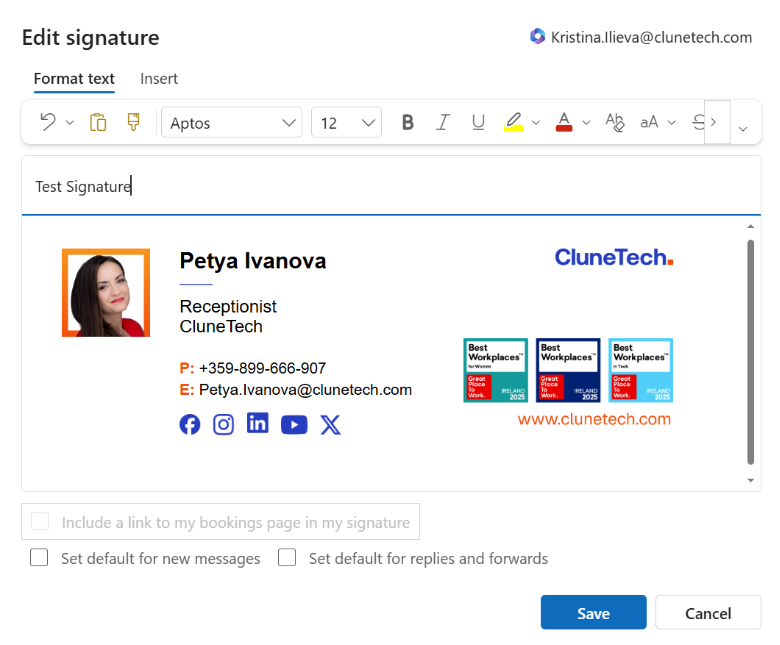
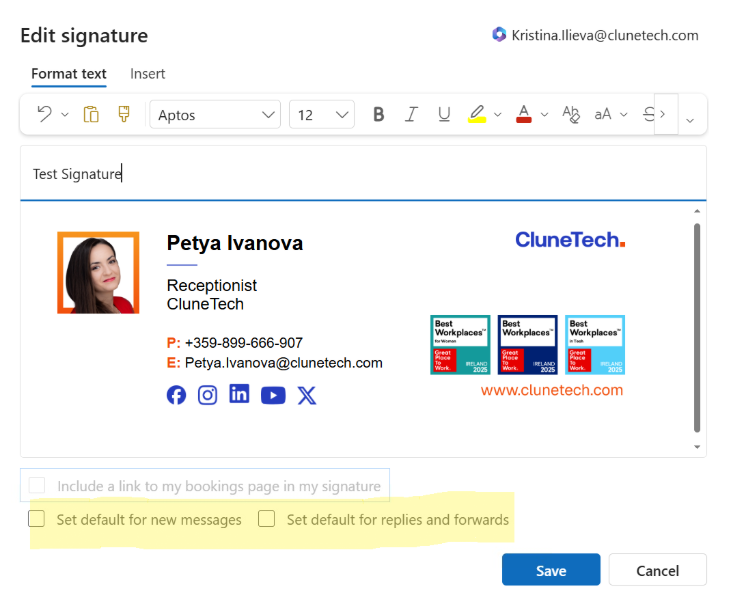
✅ Test by creating a New Email – your signature should appear automatically.
✅ Should you need a support with setting up your email signature (e.g. if you have multiple emails addresses or inboxes), please submit a SysAid Request and our IT Service Desk will assist you.
New employees can request an email signature by sending an email to design@clunetech.com. To ensure your signature is created correctly, please include the following information in your email:
+353-87-705-7943)